Support never slows down anymore. Tickets keep coming in from email, chat, apps, and internal tools, often at the same time. When volumes spike, even experienced teams find it hard to keep up with response times and SLAs.
That pressure is pushing enterprises toward automation. The global helpdesk automation market reached about $26.8 billion in 2024, showing how quickly teams are moving away from manual ticket handling (GlobeNewswire). Support leaders want systems that can keep pace without adding more people.
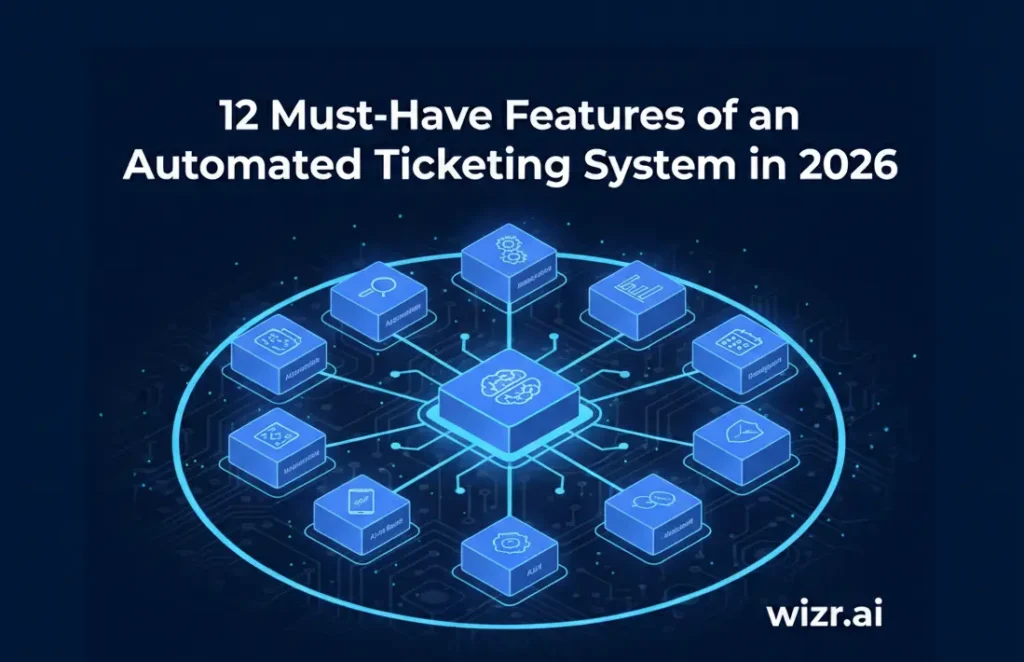
This is where an Automated Ticketing System makes a real difference. It helps you sort, route, and resolve tickets with less manual work. In this blog, you will see what these automated ticketing system features must include in 2026 and why they matter for large enterprise teams like yours.
What Is an Automated Ticketing System?
An Automated Ticketing System is a backend support platform that controls how requests are ingested, processed, and resolved across enterprise workflows. It replaces manual ticket intake and coordination with rule based and AI driven logic that works continuously in the background.
At the entry point, the system captures requests from multiple sources and converts them into standardized tickets. Each ticket is enriched with metadata such as issue type, urgency, and requester context. This structured data becomes the foundation for downstream automation in an enterprise AI ticketing system

From there, automation governs the full ticket lifecycle. The AI ticket routing system handles key operational steps, including:
- Categorizing and prioritizing tickets based on predefined logic or AI models
- Routing issues to the right queues using skill sets, workload, or SLA rules
- Tracking status changes and enforcing SLA timelines automatically
- Triggering escalations, notifications, or handoffs when conditions are met
As tickets move through these workflows, the system maintains a complete audit trail. Every update, assignment, and resolution step is logged, giving you visibility and control across teams using enterprise IT ticketing software.
By shifting intake, coordination, tracking to automation, and IT support ticketing system automation, your support teams spend less time managing queues and more time resolving issues that need technical expertise and human judgment. This is what allows enterprise support operations to scale without adding operational friction using automated IT helpdesk ticketing software. To see how this works in practice, explore AI agents for IT support management.
Also Read: 10 Benefits of Automated Ticket Routing for Customer Service
Why Are Enterprises Adopting Automated Ticketing Systems in 2026?
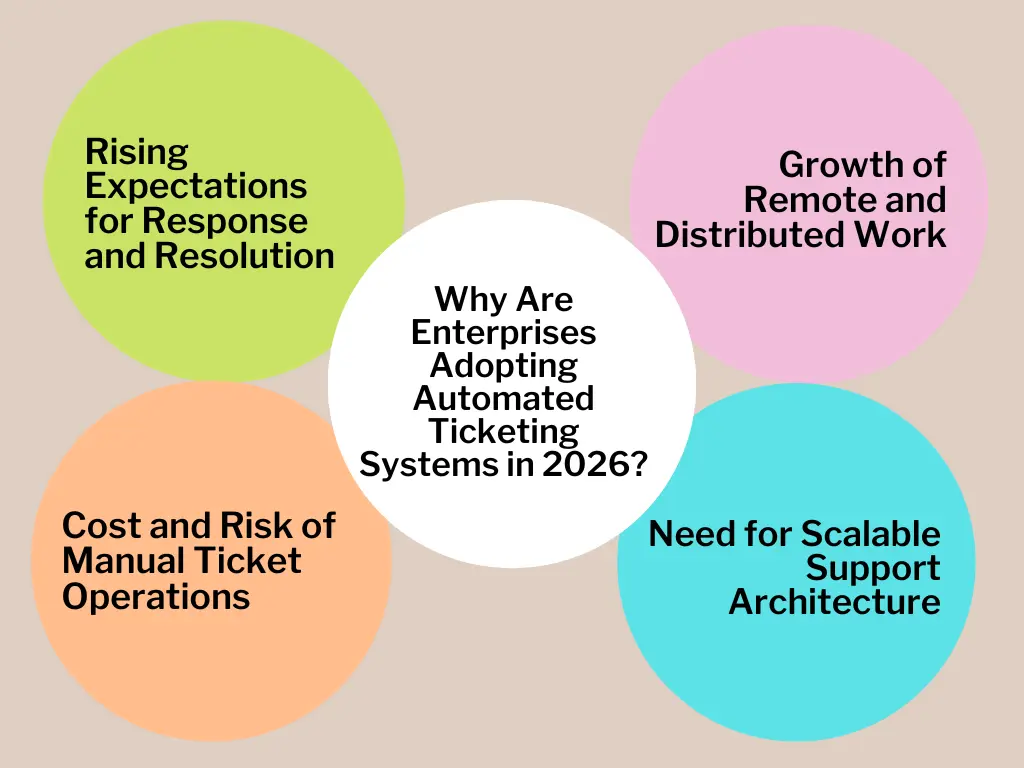
Enterprise support teams operate at scale. You manage high ticket volumes across customer support, IT, HR, and internal services using an IT service desk ticketing system. Each request must meet uptime goals, SLA commitments, and compliance standards. Manual coordination cannot support this level of complexity for long.
Automation shifts ticket handling from people driven workflows to system driven execution through an AI-powered ticketing system. Research shows that support automation helps reduce ticket backlogs and improves operational efficiency across large teams. This is why adoption is accelerating in 2026.
1. Rising Expectations for Response and Resolution
Customers and employees expect fast acknowledgment and clear timelines. Automated ticketing systems enforce priority rules, trigger instant responses, and track SLAs without manual oversight using an AI ticket routing system. This keeps response quality consistent even during demand spikes.
2. Growth of Remote and Distributed Work
Remote and hybrid work have increased internal support requests. Tickets now come from multiple tools and locations. Automation standardizes intake and routing so issues move through the same controlled workflows, regardless of source or time zone within an enterprise AI ticketing system.
3. Cost and Risk of Manual Ticket Operations
Manual triage and routing slow down resolution and increase error risk. Automation reduces operational overhead by applying consistent logic at every step. This lowers handling costs while improving reliability.
4. Need for Scalable Support Architecture
Support demand grows faster than headcount. Automated systems absorb volume by managing classification, routing, and tracking at machine speed, including approaches described in how to automate ticket classification. Agents focus only on issues that need technical judgment.
As ticket volumes continue to rise, enterprises adopt automated ticketing systems to keep support predictable, scalable, and stable without adding operational strain.
Also Read: AI-Powered Auto-Tagging: How to Automate Customer Support Tickets Fast
12 Must-Have Features of an Automated Ticketing System for Enterprises
Once enterprise support relies on automation, the design of your ticketing platform defines how well it performs at scale. According to McKinsey research, about half of all work activities across sectors could be automated using existing technologies, which highlights how deeply automation will transform operational processes like ticketing in an AI-powered ticketing system.
1. Omnichannel Ticket Intake With Unified Normalization
Enterprise environments generate requests from many entry points. These include customer facing channels and internal systems.
A strong Automated Ticketing System must ingest tickets from multiple sources and normalize them into a consistent data structure. This ensures downstream automation works reliably, regardless of where the request originated within an IT service desk ticketing system.
Key capabilities include:
- Native support for email, chat, web forms, apps, and APIs
- Standardized ticket fields across all channels
- De-duplication to prevent parallel ticket creation
This creates a clean intake layer that downstream workflows can depend on within IT support ticketing system automation.
2. AI-Driven Ticket Classification at Ingestion
After intake, classification must happen immediately.
AI models should analyze ticket content and context at the point of creation within an AI-based ticketing system. This allows the AI ticketing system for IT support to assign issue type, urgency, and service category without agent involvement, as outlined in how to automate ticket classification.
From a technical perspective, this enables:
- Faster queue placement
- Accurate priority scoring
- Cleaner reporting and analytics
Early classification reduces noise and keeps workflows efficient from the first step in an enterprise AI ticketing system.
3. Intelligent Routing Based on Skills, Load, and Policy
Routing logic must extend beyond static rules.
Enterprise systems should route tickets using a combination of agent skills, current workload, escalation policies, and SLA requirements through an AI ticket routing system, as explained in smart ticket routing. This ensures tickets move to the most appropriate queue or resolver without delays.
Effective routing minimizes:
- Internal ticket transfers
- Idle time between handoffs
- SLA risk caused by misassignment
4. SLA Enforcement With System-Level Controls
SLA management should be built into the core workflow engine.
Instead of relying on manual tracking, the Automated Ticketing System must monitor SLA timers continuously. Alerts, escalations, and reassignment should trigger automatically based on policy thresholds within IT helpdesk ticketing software.
This allows you to:
- Detect risk before breaches occur
- Maintain predictable service levels
- Reduce escalation overhead
SLA enforcement becomes a system responsibility, not an agent burden within IT ticketing system software.
5. Automated Resolution for Repetitive Issue Patterns
Not all tickets require human decision-making.
For known issue types, the system should resolve tickets automatically using predefined actions or guided responses within an AI-powered ticketing system. This may include sending instructions, triggering backend workflows, or closing tickets after confirmation.
Automation at this layer helps:
- Reduce overall ticket volume
- Shorten resolution time for common issues
- Preserve agent capacity for complex cases
6. Embedded Self-Service and Knowledge Surfacing
Self-service should not exist as a separate portal.
The AI ticketing system must surface relevant knowledge during ticket creation and resolution. This allows users to find answers before opening a ticket and helps agents resolve issues faster when tickets are created.
Technically, this requires:
- Context-aware article matching
- Continuous learning from resolved tickets
- Tight integration between tickets and knowledge assets
7. Workflow Automation Across Ticket States
Enterprise ticket workflows are rarely linear.
The system should automate transitions across states such as assignment, escalation, approval, and closure within automated IT helpdesk ticketing software. These transitions must be driven by conditions, not manual updates.
Workflow automation ensures:
- Consistent handling across teams
- Reduced dependency on individual agents
- Predictable execution at scale
8. Context-Aware Ticket Views for Faster Resolution
Resolution quality depends on visibility.
Agents need a consolidated view that includes prior interactions, related incidents, and requester history within IT helpdesk ticketing software. This context must be available without switching tools.
A context-aware interface reduces resolution time by:
- Eliminating repeated discovery steps
- Supporting informed decision-making
- Improving response accuracy
9. Operational Analytics Built Into the Platform
Analytics should be native, not an afterthought.
The system must provide real-time visibility into ticket flow, SLA adherence, resolution speed, and workload distribution within enterprise IT ticketing software. This data supports operational tuning and capacity planning.
Research shows that over 60 percent of enterprises use automation for ticket triage and routing, making analytics essential for measuring automation impact and improvement opportunities.
10. AI-Assisted Guidance During Resolution
Automation should support agents during execution, not replace them.
AI-assisted guidance helps agents with response suggestions, relevant resolution paths, and next-step recommendations based on similar past cases within an AI ticketing system for IT support.
This improves:
- Resolution consistency
- Onboarding speed for new agents
- Overall service quality
11. Security, Access Control, and Auditability
Enterprise ticketing systems handle sensitive operational data.
The platform must enforce role-based access controls, maintain audit logs, and support compliance requirements within an enterprise automated ticketing system. Every ticket action should be traceable and reviewable.
This protects data integrity while supporting internal and regulatory audits.
12. Integration With Core Enterprise Systems
Ticketing workflows rarely stop at resolution.
The system must integrate with CRM, ITSM, HR, identity systems, and communication tools within an IT service desk ticketing system. These integrations allow tickets to trigger downstream actions automatically.
Tight integration ensures:
- Data consistency across systems
- Fewer manual updates
- End-to-end process continuity
Together, these features define how an enterprise-grade Automated Ticketing System should function in 2026. When designed correctly, the system becomes a control layer for support operations, not just a queue manager. This is what allows enterprises to scale support while keeping performance stable, predictable, and auditable.
Also Read: How to Automate Ticket Classification with AI for Faster Resolution in 2025
How Wizr AI Enables Automated Ticketing with Agentic AI?
Wizr AI uses agentic AI to act on intent, not just follow rules. It understands the core issue from natural language, classifies and routes tickets independently, and auto-resolves routine cases without human input.
It also guides agents with suggested actions, relevant responses, and prior solutions. This reduces manual hand-offs and ensures complex tickets get human attention efficiently.
Research from Gartner predicts that by 2029, agentic AI will autonomously resolve up to 80% of common customer service issues without human intervention. This shows how agentic AI-powered ticketing solutions can dramatically reduce manual workloads while improving service speed and accuracy.
Wizr AI helps you:
- Handle tickets based on meaning, not just keywords.
- Resolve common issues automatically to save agent time.
- Provide context and guidance for faster, consistent responses.
- Manage large ticket volumes without increasing staff.
- Deliver faster, accurate, and reliable support to customers.
With Wizr AI’s Enterprise AI Services, organizations can apply agentic AI and intelligent workflow automation to make support operations more proactive, efficient, and responsive. Contact our team to explore how this can work in your environment.
Also Read: How AI-Driven Ticket Triage Frees Agents for Complex Cases
Final Thoughts
In 2026, enterprise support can no longer rely on manual ticket handling. Volumes are growing, SLAs are strict, and customers expect fast, consistent responses. Automated Ticketing Systems give your teams the ability to manage incoming requests efficiently, reduce errors, and maintain high service quality without adding extra staff. The right system turns chaotic ticket flows into organized, actionable workstreams using advanced AI-powered ticketing system features.
Wizr AI applies agentic AI and intelligent automation to enterprise IT support operations. It can classify, route, and even resolve routine tickets automatically while guiding agents with next-best actions and context-aware suggestions. This reduces manual effort, improves response times, and ensures your team focuses on the issues that truly require human judgment in enterprise IT support environments.
With Wizr AI’s AI-powered automation services, enterprises can streamline support operations, handle growing ticket volumes, and maintain consistent service quality while allowing support teams to focus on higher-value work.
FAQs
1. What is an Automated Ticketing System?
An automated ticketing system is modern IT service desk software that automatically captures, categorizes, assigns, and tracks support requests. Unlike traditional helpdesks, an AI-powered ticketing system can understand the issue context and route it using intelligent ticket routing, reducing manual triage and response delays.
For example, a locked employee account can be identified as an access issue and routed to the appropriate support team with the right priority.
Wizr AI supports this through AI Agents and Agentic Workflows that automatically classify, prioritize, and route tickets across enterprise IT support operations.
2. What automated ticketing system features should enterprises look for in 2026?
A modern enterprise automated ticketing system should combine workflow automation with intelligence. Key features include:
- AI-based categorization and prioritization
- Intelligent routing and SLA tracking
- Automated escalations
- Knowledge-based suggestions and self-service support
- Reporting and audit trails
These capabilities help service desks manage large ticket volumes without increasing support staff.
Wizr AI provides configurable IT Support Management AI Agents that automate repetitive tickets and help IT teams monitor and improve service desk performance.
3. How does an AI-based ticketing system improve IT support productivity?
An AI-based ticketing system reduces manual triaging by automatically classifying, assigning, and tracking service requests, improving response and resolution times.
Teams benefit from:
- Faster first response times
- Reduced ticket backlog
- More focus on complex issues
Wizr AI augments support agents with contextual knowledge suggestions and ticket summaries, helping teams resolve issues more efficiently through AI-powered support automation.
4. Why do enterprises need an AI-powered ticketing system?
Manual support processes struggle to scale with increasing ticket volumes. An AI-powered IT service desk helps maintain SLA performance, reduce operational effort, and improve employee experience through automated workflows.
Instead of managing queues and manual routing, support teams can focus on resolving higher-value issues.
Through Enterprise AI Services and AI-powered automation, Wizr AI helps enterprises automate service workflows and manage growing support demand without proportionally increasing support resources.
5. Can automated IT helpdesk ticketing software integrate with enterprise tools?
Yes, Modern automated IT helpdesk systems integrate with collaboration platforms, monitoring tools, identity systems, and knowledge bases. They can automatically create tickets, trigger workflows, and route issues based on system events or user requests.
Wizr AI integrates with enterprise applications and orchestrates workflows across systems, helping organizations streamline IT operations and automate common service desk processes.
About Wizr AI
Wizr AI helps enterprises build autonomous enterprises and accelerate product and software engineering with practical, production-ready AI. We help organizations automate business workflows, modernize legacy applications and digital platforms, and build intelligent AI solutions.
Our core services include Enterprise AI Services, AI-Powered Engineering & Legacy Modernization, AI Product Engineering, and AI Governance. We also leverage AI Assembly capabilities, including the Agentic AI Framework, Agentic Workflows, Security, and Integrations.
Through our AI solutions, including AI Agents, Pharma & Life Sciences AI, Oracle AI, and Salesforce AI, we help enterprises apply AI across business and technology needs.
See how we can help your enterprise move faster with AI. 👉 Talk to an AI Expert.


![Agentic AI vs AI Agents: Key Differences Every CIO Must Know [2025 Guide]](https://wizr.ai/wp-content/uploads/2025/07/Agentic-AI-vs-AI-Agents.webp)
![Agentic AI vs Traditional Automation: Why Enterprises Shift for Better CX [2025]](https://wizr.ai/wp-content/uploads/2025/06/Agentic-AI-vs-Traditional-Automation.webp)


![11 Real-World AI Agents Examples + Use Cases for Enterprises [2025]](https://wizr.ai/wp-content/uploads/2025/05/AI-Agents-Examples-Use-Cases.webp)