Automated Email Response for Customer Service is an essential tool for modern businesses. It helps deliver timely, professional communication while enhancing operational efficiency. Whether you’re addressing inquiries, gathering feedback, or implementing Email Workflow Automation for Customer Support, these tools are invaluable for improving customer satisfaction.
This guide provides insights into effectively using Customer Service Email Templates, shares practical strategies, and presents Customer Service Email Response Examples to streamline your customer service process. Let’s explore the benefits of incorporating Automated Email Systems for Customer Service and the role of tools like CRM Email Automation for Customer Support in elevating customer engagement with the help of advanced enterprise AI solutions.
Automated email responses help customer service teams reply faster, stay consistent, and reduce manual effort – without sacrificing personalization.
This guide walks you through real examples, setup strategies, and best practices to streamline workflows and improve customer satisfaction at scale.
Read the full post to learn how to build smarter, more effective automated email systems.
What is an Automated Email Response?
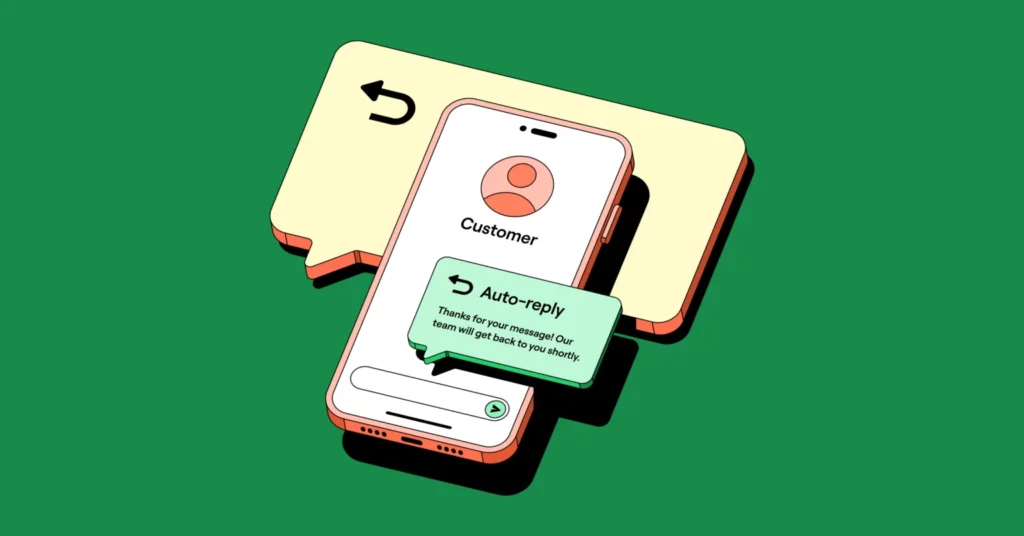
An automated email response is a pre-written message automatically sent to a user after a specific action, such as submitting a support request or completing a form. It helps deliver timely, consistent communication without manual effort, enhancing the customer service experience.
Automated responses are used by over 89% of customer service teams to acknowledge inquiries and set expectations instantly. A HubSpot study found that companies using automated service emails reduce first-response time by up to 80%. These workflows also contribute to higher CSAT scores and free up agent time for more complex interactions.
An Automated Email Response for Customer Service is a pre-designed message triggered by specific customer actions, such as submitting a query, completing a purchase, or requesting assistance. These responses, created using tools like Customer Service Email Automation Solutions, ensure prompt communication while eliminating delays caused by manual processes.
For instance, when a support request is submitted, an auto-email responder acknowledges receipt and provides an estimated response time. By leveraging Email Workflow Examples for Customer Service and adhering to Best Practices for Email Automation, businesses foster transparency and professionalism.
Using Customer Service Email Response Templates enhances efficiency and ensures a seamless customer experience. Automated responses, like Customer Feedback Response Email Examples, save time for support teams while strengthening trust and satisfaction. Incorporating tools such as Email Automation Workflow Templates and understanding Benefits of Workflow Automation in Customer Service enable organizations to offer more consistent and engaging interactions.
By adopting Examples of Email Automation in Customer Service, businesses can transform how they connect with customers, improving both customer satisfaction and brand reputation.
When Should You Use Automated Email Responses in Customer Service?
Automated emails are extremely useful in various settings that require customer service. These include:
1. When Inquiries Are Made
Whenever queries are entered into a system by clients or when they submit support tickets, the system automatically sends back messages assuring them that their inquiries have been captured and will likely be reviewed at some point. This is a typical example of Automated Email Response for Customer Service in action, ensuring prompt acknowledgment with Customer Service Email Response Templates. Many businesses are adopting enterprise AI platforms to automate customer communication workflows and improve support efficiency at scale.
2. Providing Real-Time Information
When you receive an email from a company’s system that was not composed by a human being, that is an automated message. It may also contain FAQs (Frequently Asked Questions), troubleshooting guides, or links to other websites with solutions so customers can find answers on their own quickly. This is an example of Email Workflow Automation for Customer Support, which helps manage customer expectations effectively with Customer Service Email Templates. usinesses are increasingly adopting AI solutions for enterprise to automate customer communication and improve support efficiency.

3. During High-Volume Periods
Automated responses keep customers informed about when they can expect feedback, as customer service teams can become overwhelmed, especially during times of high sales volumes. This applies to email inboxes, live chat on company websites, and other channels. During these times, Email Automation Workflow for Customer Service ensures timely responses, reducing customer frustration with Customer Feedback Response Email Examples.
4. Order Confirmations and Updates
After making a purchase online, credit card details processed, and orders automatically confirmed, emails may be sent with tracking numbers and notifications about any potential delays in delivery, assuming such a case exists. Using an Automated Email System for Customer Service, businesses can ensure customers receive prompt updates, enhancing customer experience with Customer Service Email Response Examples.
5. Feedback Requests
Automated emails ask clients to rate the employees who handled their cases through satisfaction surveys, forms, or star ratings, among other methods, after their issues have been resolved. This is a perfect use case for Automated Email Campaigns for Customer Engagement. Additionally, using Customer Satisfaction Email Templates can help in gathering actionable feedback through Customer Service Email Response Samples.
6. Cancellation Requests/Returns Management
Businesses may guide customers through the return process or order cancellations via automated replies when someone decides not to make a purchase. These processes can be automated with Customer Care Response Templates, helping businesses efficiently manage returns with a consistent approach.
Types of Automated Email Responses for Customer Queries (with Practical Examples)
Different customer service needs inspire distinct types of automated email responses. Below are some of the most common types, along with examples of how they are typically used. Implementing Email Automation Workflow for Customer Service can significantly improve efficiency and consistency in customer interactions.
1. Acknowledgment Emails
These emails confirm that the customer’s query or request has been received. Automated Email Response for Customer Service is typically used here to assure customers that their inquiry is being processed.
Example:
Subject: We’ve Received Your Request
Body: Thank you for getting in touch! We’ve received your request (Ticket #12345). Our team is now reviewing it and will respond within 24 hours. In the meantime, feel free to visit our Help Center at [website] for quick answers to frequently asked questions (FAQs).
2. Follow-Up Emails
These are sent after an interaction to check whether the customer’s issue has been resolved or to invite further engagement. Customer Service Email Templates can be used here to ensure that the tone is consistent and professional.
Example:
Subject: How Did We Do?
Body: Hi [Customer Name], we hope everything has been resolved. Please consider this an opportunity for improvement, and we would appreciate your feedback.
3. Resolution or Closure Emails
These emails inform the customer that their issue has been resolved or that the ticket has been closed. These types of emails help with maintaining transparency and ensuring customer satisfaction.
Example:
Subject: Your Issue Has Been Resolved
Body: Hello [Customer Name], we are pleased to inform you that [specific problem] has been addressed. If you have any concerns, please don’t hesitate to reach out to us.
4. Feedback Request Emails
These can be sent via surveys or reviews conducted through email, allowing users to provide feedback directly within the email itself. Customer Feedback Response Email Examples can enhance customer engagement by simplifying the feedback process. To further enhance customer feedback collection, businesses can utilize customer feedback analysis tools to derive valuable insights and improve their service offerings.
Example:
Subject: Tell Us About Your Experience
Body: Thank you for choosing us! Please take a moment to rate our services so we can better understand how to serve you.
5. Self-Service Guidance Emails
These provide links or guides to help customers resolve common issues on their own. CRM Email Automation for Customer Support can streamline the process, directing customers to helpful resources.
Example:
Subject: Quick Solutions for Common Issues
Body: For urgent help, please refer to our troubleshooting guide or FAQ section, where you can find quick solutions for common problems.
How to Set Up Automated Email Responses for Customer Support
Automated email responses for customer support setup may seem like a complicated process; however, it becomes an achievable task when broken down into small steps aimed at creating an effective system focused on the customer. Many organizations are leveraging enterprise AI software solutions to streamline customer communication, automate workflows, and improve support response efficiency.
Below is a comprehensive guide to help you implement Email Workflow Automation for Customer Support using Best Email Automation Software for Customer Service:
1. Choose the Right Email Automation System
Begin by selecting an automated system that suits your company’s specific requirements. Platforms like CRM Email Automation for Customer Support and ticketing systems often have strong automation features. For companies focusing on marketing and support, email platforms may be ideal. The right tool should meet the following criteria:
- Integration capabilities with existing support systems.
- Customization options for creating Customer Service Email Response Templates.
- Scalability to accommodate business growth.
- Reporting and analytics features for performance insights.
Choosing the right tool lays a solid operational foundation and enables you to scale up your support efforts quickly.
2. Identify Key Scenarios for Automation
Not all customer interactions need to be automated. Common use cases often include:
- Inquiry Acknowledgment: Notify customers that their message has been received and provide an estimated resolution time.
- Feedback Requests: Send customer satisfaction surveys after resolving a support ticket, utilizing Customer Feedback Response Email Examples.
- Order Shipment Notifications: Automatically send order confirmations, tracking details, and updates if there are shipping delays.
- Trigger FAQs and Self-Service Guidance: Automatically provide helpful resources such as FAQs or self-service information when the system detects certain keywords like “how do I?”
Mapping these scenarios allows for the creation of targeted automation workflows, ensuring you have Email Automation Workflow Templates tailored to specific Customer Service Email Response Examples.
3. Craft Professional and User-Friendly Templates
Creating professional, easy-to-understand templates is crucial for maintaining a positive customer experience. Consider these tips for writing Customer Service Email Templates:
- Personalize emails with the customer’s name or other relevant details.
- Maintain a friendly tone to build trust and rapport.
- Include essential information such as ticket numbers, order IDs, or estimated resolution times.
- Provide actionable steps or links, such as troubleshooting guides or contact forms for further assistance.
Example of an Acknowledgment Email: Subject: We’ve Received Your Request
Body: Hi [Customer Name], thank you for contacting us. Your request (Ticket #12345) has been received, and our team is on it! Expect an update within 24 hours. In the meantime, feel free to explore our Help Center [link].
By utilizing Professional Templates for Customer Service Responses, businesses can ensure consistent communication across all customer touchpoints.
4. Set Up Triggers and Workflows
Automated responses rely on triggers—specific actions or events that initiate an email workflow. Examples of triggers include:
- A customer inquiry.
- Order confirmations.
- Product return requests.
Within your automation system, set up these workflows and specify when and how each email will be sent. For example, you can create a workflow where an acknowledgment email follows a ticket submission, followed by a reminder email after 48 hours if no action is taken.
By mapping out these triggers and workflows, you implement an effective Email Automation Workflow for Customer Service, ensuring timely and relevant responses at every customer interaction.
5. Test and Optimize
Testing is crucial to ensure that automated responses function as expected. During the testing phase:
- Verify that emails are sent under the correct conditions to the right recipients.
- Check for typos, broken links, or formatting issues.
After launching, gather customer feedback on the automated responses to identify areas for improvement. For instance, if customers often seek clarification after receiving automated emails, it could mean the template’s content is too complex or unclear.
This testing phase is integral for refining Automated Email Response Examples and ensuring Best Practices for Email Automation are followed.
6. Monitor Performance Metrics
It’s essential to continuously monitor the performance of your automated email responses to assess whether they’re achieving desired results or need adjustments. Key metrics to track include:
- Open Rates: Are the subject lines engaging enough to encourage customers to open the emails?
- Click-Through Rates: How many customers interact with links and calls to action in your emails?
- Response Times: How quickly are issues acknowledged and resolved?
- Customer Satisfaction (CSAT) Scores: How satisfied are customers with the automated communication?
This ongoing examination helps refine the workflow process, ensuring a better experience for customers and improved support performance. It’s one of the Email Workflow Automation Benefits that can elevate the overall customer service quality.
By following these steps, you’ll establish efficient automated email responses that enhance the customer experience, ensuring consistent communication throughout the support journey. Implementing Email Automation Workflow Examples for Customer Service and Customer Service Email Automation Solutions will drive better engagement, streamline customer service, and improve overall satisfaction.
Best Practices for Automated Email Responses in Customer Service

Sending automated emails successfully requires careful planning and effort. Here are some best practices to help achieve this:
Keep Emails Personal and Professional
Even though your responses are automated, they should feel personal. Use the customer’s name where possible, mention specific details (like order numbers), and maintain a friendly yet professional tone throughout. This ensures that customer service email templates remain personalized and effective in providing a customer service email response.
Set Clear Expectations
Provide customers with key information, such as estimated response times, next steps, or additional resources they can explore while waiting. This helps reduce uncertainty and builds trust, which is a key element in email workflow automation for customer support.
Avoid Over-Automation
While automation can save time, overusing it can result in generalized or irrelevant feedback. Reserve manual intervention for complex or sensitive issues to maintain a human touch. Overuse of automation can diminish the effectiveness of customer service email response templates.
Optimize for Mobile
Since many people read and respond to emails on mobile devices, ensure your emails are easy to view on smartphones. Use a clear layout, a concise subject line, and avoid clickbait links. Optimizing your automated email system for customer service for mobile will ensure your customer service email templates are effective across devices.
Include Call-to-Action (CTA) Options
Encourage customers to take action by including links to FAQs, support portals, or feedback surveys. This helps them find solutions quickly and increases engagement with automated email campaigns for customer engagement.
Regularly Review and Update Templates
Customer needs are always evolving, and so should your email templates. Continuously monitor their performance and make adjustments to keep them relevant. Using email workflow examples for customer service helps ensure templates are up to date.
Monitor Metrics and Customer Feedback
Track open rates, click-through rates, and satisfaction scores to evaluate the effectiveness of your automated emails. Use customer feedback to improve email automation workflow templates and customer satisfaction.
By following these best practices, businesses can strike the right balance between efficiency and personalization, ensuring customers feel well-supported and valued.
How to Use Wizr AI for Customer Service Email Workflow Automation
Wizr AI helps enterprises automate customer service email workflows through AI-powered customer support automation and platform-enabled services. It can streamline ticket routing, automate responses, assist support agents, and improve overall customer communication.
Improve Ticket Management
Incoming emails can be automatically categorized based on content, urgency, sentiment, issue type, and business priority. Wizr AI helps support teams route tickets faster, prioritize important cases, and reduce response times through intelligent ticket classification and workflow automation.
Develop Smart Customer Service Email Templates
Wizr AI can help support teams create personalized email templates for different customer scenarios, including order updates, issue resolution, follow-ups, onboarding, account support, and service notifications. AI-powered recommendations help agents deliver more consistent and accurate responses while maintaining the appropriate tone and context.
Set Up Follow-Ups Automatically
Automated follow-ups help ensure unresolved issues are not missed. Wizr AI can trigger reminders, escalation workflows, status updates, and follow-up emails based on ticket status, inactivity, customer sentiment, or SLA timelines. This helps teams maintain consistent communication and improve customer satisfaction.
Evaluate Email Performance
Wizr AI helps enterprises analyze customer service email performance by tracking metrics such as response times, ticket resolution times, escalation rates, customer satisfaction, and agent productivity. These insights help support leaders identify process bottlenecks and improve service quality.
Real-Time Language Translation
For enterprises supporting customers across multiple regions, Wizr AI can help improve multilingual support through language understanding, translation capabilities, and contextual recommendations. This helps teams provide more consistent customer service across global markets.
Work with Existing Systems
Wizr AI integrates with CRM systems, ticketing platforms, helpdesk tools, knowledge bases, and communication channels. Through platform-enabled services, enterprises can connect AI-powered email automation with their existing support workflows without major disruption.
AI-Powered Suggestions
Wizr AI provides agents with contextual suggestions, recommended responses, knowledge base content, and next-best actions in real time. This helps support teams respond faster, improve consistency, and handle more complex customer issues more effectively.
Conclusion
Modern customer service increasingly depends on automated email responses for customer service, offering an appealing blend of efficiency and personalization. By effectively implementing automation, companies can streamline their operations, enhance customer service, and maintain constant communication. Wizr AI helps enterprises automate customer support workflows through AI-powered email automation, intelligent ticket routing, contextual assistance, follow-up workflows, and platform-enabled services. This allows support teams to focus on more complex issues while improving customer satisfaction and operational efficiency.
FAQs
1. What is an automated customer service response?
An automated customer service response is a pre-configured email or message sent after a customer action, such as submitting a ticket, requesting support, or asking a question. It helps acknowledge the request, reduce wait times, and set expectations for next steps.
Wizr AI helps enterprises improve automated responses through AI-powered templates, contextual recommendations, and intelligent workflow automation.
2. How do I set up automated email responses for customer service?
To set up automated responses:
- Choose an email automation or customer support platform
- Define triggers such as ticket creation, form submissions, or status changes
- Create templates with customer details, ticket information, and next steps
- Connect workflows with CRM, helpdesk, and ticketing systems
- Test and optimize workflows over time
Wizr AI helps enterprises simplify this process through AI-powered automation, configurable workflows, and platform-enabled services.
3. What are the best practices for automated support replies?
Best practices include:
- Keeping responses clear, concise, and professional
- Personalizing replies based on customer context
- Sending responses immediately after an action occurs
- Maintaining a consistent brand tone
- Providing clear next steps and escalation paths
Wizr AI helps support teams improve reply quality through contextual assistance, AI-powered recommendations, and intelligent response suggestions.
4. Are automated email responses professional for luxury clients?
Yes, automated responses can remain professional for luxury or high-value clients when they are personalized, timely, and aligned with the brand experience.
Wizr AI helps support teams create more tailored, context-aware responses that maintain professionalism while improving response speed.
5. How do automated follow-ups for unresolved support cases work?
Automated follow-ups are triggered when a support case remains open, inactive, or unresolved. They can send reminders, status updates, escalation notifications, and follow-up emails until the issue is resolved.
Wizr AI helps enterprises manage this process through intelligent follow-up workflows, SLA tracking, and escalation automation.
6. Why are automated email responses important in customer service?
Automated responses help customers receive immediate acknowledgment, reduce manual work for support teams, and improve communication consistency.
Wizr AI enhances this process through intelligent automation, contextual guidance, and customer support workflow orchestration.
7. How do automated suggestions keep support responses consistent?
Automated suggestions provide agents with recommended replies, tone guidance, relevant knowledge articles, and next-best actions. This helps teams maintain consistent responses across different channels and customer scenarios.
Wizr AI supports this through contextual agent assistance and AI-powered recommendations that help agents respond more quickly and accurately.
8. What service ensures clients receive prompt responses to emails about treatment questions?
Email automation platforms can help ensure clients receive immediate acknowledgment for time-sensitive inquiries. Automated responses can confirm receipt, share relevant resources, and route the inquiry to the appropriate support team.
Wizr AI combines email automation, intelligent routing, and knowledge recommendations to help enterprises deliver faster and more accurate support experiences.
About Wizr AI
Wizr AI helps enterprises build autonomous operations and accelerate software delivery through AI-powered automation and AI-driven software engineering, delivered as Service as a Software. Wizr Enterprise AI Platform provides a secure, modular foundation to build and govern AI Agents, AI Assistants, and Agentic Workflows, combining an Agentic Platform, Agentic Workflows, and enterprise-grade Security and Integrations. Wizr AI delivers automation using pre-built and configurable AI agents for Customer Support, IT Support Management, and Finance & Accounting, driving measurable productivity and efficiency gains. Through Enterprise Digital Engineering, Product Engineering, AI Assembly, and Glidepath AI SDLC, Wizr AI accelerates software development, testing, and modernization helping enterprises move AI from pilots to production with real impact.
Get in touch to see how Wizr AI can help your enterprise move faster.



![Agentic AI vs AI Agents: Key Differences Every CIO Must Know [2025 Guide]](https://wizr.ai/wp-content/uploads/2025/07/Agentic-AI-vs-AI-Agents.webp)
![Agentic AI vs Traditional Automation: Why Enterprises Shift for Better CX [2025]](https://wizr.ai/wp-content/uploads/2025/06/Agentic-AI-vs-Traditional-Automation.webp)

![11 Real-World AI Agents Examples + Use Cases for Enterprises [2025]](https://wizr.ai/wp-content/uploads/2025/05/AI-Agents-Examples-Use-Cases.webp)